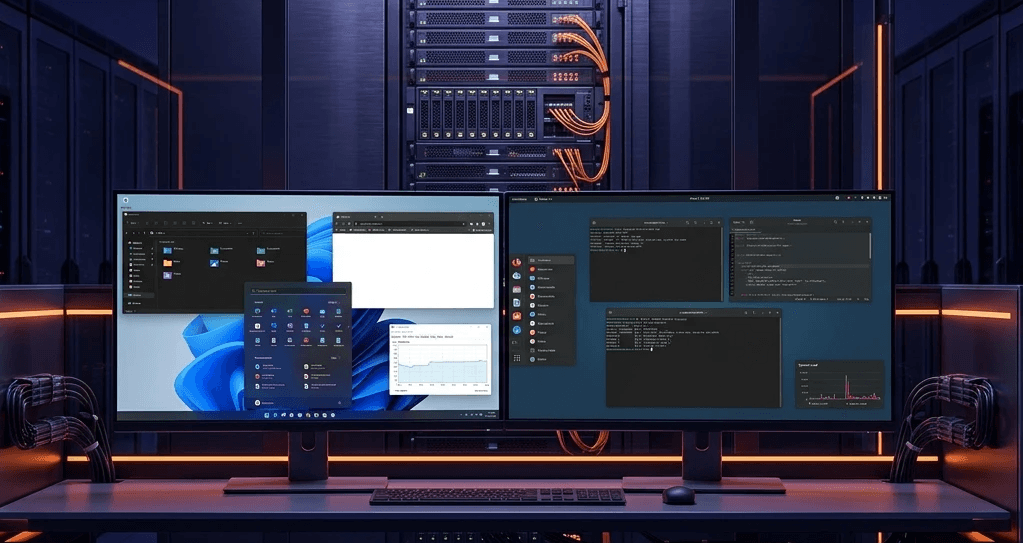
Susan had an engineering tool that only ran on Windows.
That is completely normal in research computing. There is discipline-specific software, licensed applications, and tools that were built for Windows years ago and never got a Linux port. The researchers who need them are not switching to a Linux alternative. The tool is the tool.
The standard answer is to run two separate management planes. Linux workloads go on the Kubernetes cluster. Windows workloads go on a separate hypervisor, which means two provisioning systems, two storage integrations, two management interfaces, and two sets of networking. IT runs both, and the two share nothing except the physical hardware underneath.
We wanted to try something different. We put the Windows VM directly into the same Kubernetes API as the Linux containers.
What KubeVirt actually does
KubeVirt has been production-ready upstream since its 1.0 release in 2023, and production adoption has grown fast since then. The idea is simple. Virtual machines become Kubernetes resources. A VM spec looks like a Deployment spec. The Kubernetes API creates it, the scheduler places it, Kubernetes storage backs it, and the Kubernetes networking overlay connects it.
From a management point of view, a Windows VM and a Linux container are both just workloads. They use the same kubectl commands, the same storage classes, the same ingress controller, and the same monitoring stack. The cluster has workloads, with no “Linux side” and “Windows side” to keep apart.
Console access for VMs runs through Orion’s viewer the same way application UIs do, in a full-screen iframe in the Orion Workspace interface. Susan logs in, clicks the Windows workstation card in her project catalog, and gets a browser console connected to her VM. The VM has GPU passthrough from the host machine’s RTX 2080 Super, so it runs CUDA-accelerated workloads at full hardware speed. It is basically a VM that does not feel like a VM, which is really cool to watch the first time.
The GPU passthrough detail
GPU passthrough with KubeVirt needs the host machine to expose the GPU as a KubeVirt device. The NVIDIA GPU Operator, installed as an Orion Apps plugin, handles the device plugin configuration and the node labeling that make the GPU available to VM workloads. The same operator that manages GPU access for Linux containers manages it for KubeVirt VMs.
Susan’s Windows VM gets exclusive access to the RTX 2080 Super on the node it runs on. The Linux containers on the rest of the cluster use the Spark’s Blackwell GPU, so they do not compete. The GPU assignment lives at the template level. The Windows VM template asks for the RTX 2080 passthrough device, and kuiper (the Orion Workspace service that launches workloads) generates the resource spec to match.
That passthrough is exclusive, and it is worth saying plainly. While Susan’s VM is running, that 2080 is hers and nothing else can slice it. For a Windows tool that needs the whole card, that is the right trade.
The VM disk is 170GB on Longhorn, the open-source distributed block storage this cluster runs. Longhorn replicates the disk and supports snapshots. If the host node needs maintenance, the VM can be live-migrated to another node. The disk stays consistent and the researcher does not lose work.
What this means for institutions with Windows requirements
Research computing environments that try to standardize on Linux tend to hit the same wall. Some tools only run on Windows, like ArcGIS Pro, SolidWorks, discipline-specific simulation software, and licensed tools with Windows-only installers and support contracts.
The traditional response is to put those workloads on a separate system, such as a VMware cluster, a standalone Hyper-V server, or a fleet of physical Windows workstations. Each one brings its own management overhead, storage integration, networking setup, and operating cost.
KubeVirt through Orion puts Windows VMs in the same management plane as everything else. The IT team manages the Windows VM from the same interface they use for the Linux workloads, and storage, networking, and identity are all handled the same way too.
For institutions moving off VMware after the Broadcom acquisition, this is one part of the answer. VMs do not have to move to a separate hypervisor stack. They can run on the same Kubernetes cluster as the containers, managed by the same platform, using the same storage and networking.
The POSIX identity layer works for VMs too. Files a researcher’s Windows VM writes to a shared NFS mount get the same ownership as files from their Jupyter notebook or their AI agent, so the workspace really is shared.
This is one in a series on building research computing infrastructure. A related post covers what happens when you add a 35-billion parameter AI model to the same cluster and let several agents share it at once.
See how Orion handles mixed VM and container workloads. Book a demo
Alex Hatfield is the CEO and co-founder of Juno Innovations. Juno builds Orion, the customer-hosted unified compute plane. Orion runs inside your own environment, air-gapped by design, and gives your people one place to use the compute you already have, from GPUs and CPUs to VMs and bare metal.
WRITTEN BY
Alex Hatfield
Alex co-founded Juno to fix how enterprise compute gets done. He leads product vision and customer strategy, and spends most of his time working directly with infrastructure and research teams pushing the limits of what their hardware can do.