
LIFE SCIENCES
Compute for
regulated research.
Genomics, imaging, drug discovery, and AI workloads on infrastructure you control, with the audit trail your compliance team needs.

Why regulated teams run Orion

Customer-hosted, always
Orion installs into your environment and stays there. Sensitive data never leaves it.
Customer-hosted, always
Orion installs into your environment and stays there. Sensitive data never leaves it.
Customer-hosted, always
Orion installs into your environment and stays there. Sensitive data never leaves it.

Controls for compliance-sensitive work
Audit logging and group-scoped data access, inside your own environment. Your team owns compliance.
Controls for compliance-sensitive work
Audit logging and group-scoped data access, inside your own environment. Your team owns compliance.
Controls for compliance-sensitive work
Audit logging and group-scoped data access, inside your own environment. Your team owns compliance.

Every launch attributed
SSO mapped to POSIX. Every workload is tied to a named user, and the right person owns the right file.
Every launch attributed
SSO mapped to POSIX. Every workload is tied to a named user, and the right person owns the right file.
Every launch attributed
SSO mapped to POSIX. Every workload is tied to a named user, and the right person owns the right file.
Pipelines and people on the same plane.
Batch pipelines, Jupyter for analysis, and GPU workstations for imaging schedule against one cluster, under one identity.
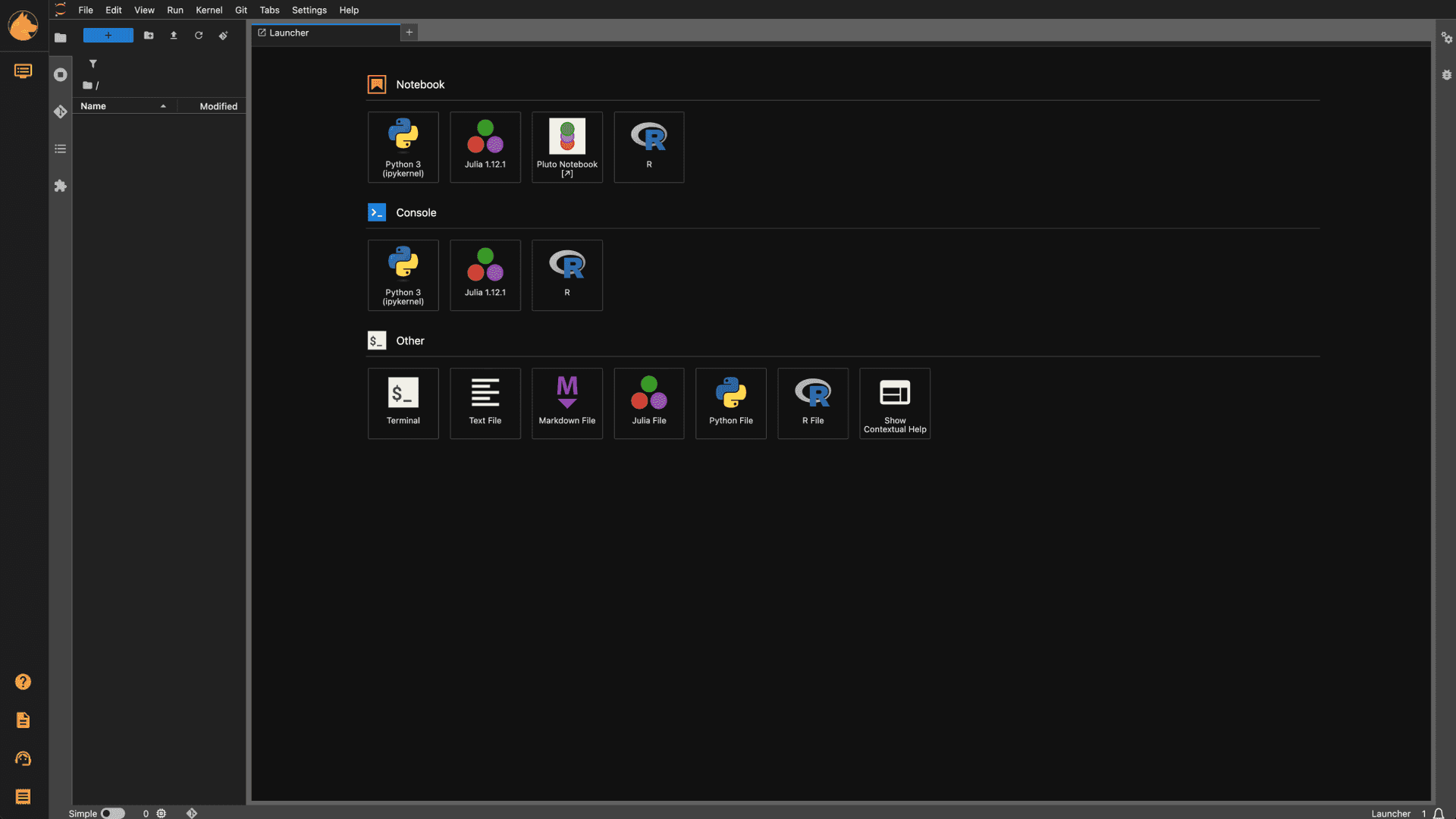


Jupyter with the lab's data already mounted.
Pipelines, notebooks, and desktops, side by side.
Every workload keeps its own event history.
Jupyter with the lab's data already mounted.
Pipelines, notebooks, and desktops, side by side.
Every workload keeps its own event history.
Jupyter with the lab's data already mounted.
Pipelines, notebooks, and desktops, side by side.
Every workload keeps its own event history.

CONTROLS
Limit a mount to one group.
Mounts can be limited to one group, and each workspace has its own network rules. Put the HPC nodes you retired back to work.
Group mounts
Sensitive data only where it belongs.
Network rules
Ingress and egress per workspace.
Short-lived sessions
Open data in a workspace that goes away when you’re done.
60-90s
request to running workload
One
identity from login to file owner
Zero
phone-home calls, connected or offline
Questions regulated teams ask
Does our data leave our environment?
+
Does our data leave our environment?
No. Orion is customer-hosted and built to run air-gapped. Nothing phones home and there is no log export.
Does our data leave our environment?
+
Does our data leave our environment?
No. Orion is customer-hosted and built to run air-gapped. Nothing phones home and there is no log export.
Does our data leave our environment?
+
Does our data leave our environment?
No. Orion is customer-hosted and built to run air-gapped. Nothing phones home and there is no log export.
Can Orion support compliance-sensitive work?
+
Can Orion support compliance-sensitive work?
Orion runs in your environment with audit logging and group-scoped mounts, so data stays where your policies say it should. Your team keeps responsibility for the data and for compliance.
Can Orion support compliance-sensitive work?
+
Can Orion support compliance-sensitive work?
Orion runs in your environment with audit logging and group-scoped mounts, so data stays where your policies say it should. Your team keeps responsibility for the data and for compliance.
Can Orion support compliance-sensitive work?
+
Can Orion support compliance-sensitive work?
Orion runs in your environment with audit logging and group-scoped mounts, so data stays where your policies say it should. Your team keeps responsibility for the data and for compliance.
Can we restrict who sees a dataset?
+
Can we restrict who sees a dataset?
Yes. Limit a mount to one group, and give each workspace its own network rules.
Can we restrict who sees a dataset?
+
Can we restrict who sees a dataset?
Yes. Limit a mount to one group, and give each workspace its own network rules.
Can we restrict who sees a dataset?
+
Can we restrict who sees a dataset?
Yes. Limit a mount to one group, and give each workspace its own network rules.
Can we reuse older HPC nodes?
+
Can we reuse older HPC nodes?
Yes. Join them to the cluster as workers and they run pipelines and notebooks like any other node.
Can we reuse older HPC nodes?
+
Can we reuse older HPC nodes?
Yes. Join them to the cluster as workers and they run pipelines and notebooks like any other node.
Can we reuse older HPC nodes?
+
Can we reuse older HPC nodes?
Yes. Join them to the cluster as workers and they run pipelines and notebooks like any other node.
How is Orion different from Open OnDemand?
+
How is Orion different from Open OnDemand?
Open OnDemand is a web portal for HPC resources, with file access, shells, job submission and interactive apps such as desktops and notebooks. Each app it offers has to be written for it. In Orion, an admin installs apps as plugins from Orion Apps in the browser, and your team can add its own applications by writing a deployment YAML file. Orion also runs the compute underneath. It schedules workloads across your nodes, shares GPUs between them and runs virtual machines next to containers. You can keep Open OnDemand for Slurm users and run Orion beside it.
How is Orion different from Open OnDemand?
+
How is Orion different from Open OnDemand?
Open OnDemand is a web portal for HPC resources, with file access, shells, job submission and interactive apps such as desktops and notebooks. Each app it offers has to be written for it. In Orion, an admin installs apps as plugins from Orion Apps in the browser, and your team can add its own applications by writing a deployment YAML file. Orion also runs the compute underneath. It schedules workloads across your nodes, shares GPUs between them and runs virtual machines next to containers. You can keep Open OnDemand for Slurm users and run Orion beside it.
How is Orion different from Open OnDemand?
+
How is Orion different from Open OnDemand?
Open OnDemand is a web portal for HPC resources, with file access, shells, job submission and interactive apps such as desktops and notebooks. Each app it offers has to be written for it. In Orion, an admin installs apps as plugins from Orion Apps in the browser, and your team can add its own applications by writing a deployment YAML file. Orion also runs the compute underneath. It schedules workloads across your nodes, shares GPUs between them and runs virtual machines next to containers. You can keep Open OnDemand for Slurm users and run Orion beside it.
KEEP GOING

Keep your research data where it is.
Book a 30-minute demo with an engineer, or install Community Edition and read the docs.
Keep your research data where it is.
Book a 30-minute demo with an engineer, or install Community Edition and read the docs.
Keep your research data where it is.
Book a 30-minute demo with an engineer, or install Community Edition and read the docs.